InVideo AI Review [Pricing, Pros-Cons & Customer Reviews]
InVideo is a powerful AI tool for personal and business use. This online platform enables even beginners to create professional-quality videos using simple prompts.
Though it may take some time to master, InVideo is a must-have for marketers aiming to boost social media growth. This DIY video creation tool transforms ideas into real-time videos with over 4,000 custom templates and access to over 1 million royalty-free images and video clips.
Users can personalize templates by adjusting colors, animations, and transitions. InVideo also supports voiceovers and automated text-to-speech.
The intuitive editor allows easy media file integration from an extensive library. With 24/7 live support and flexible subscription options, InVideo simplifies video creation directly in your browser.
Today, we share our personal experience about InVideo in this InVideo Ai Review post.
Pros and Cons of InVideo AI
Pros of InVideo AI
Cons of InVideo AI
What Is InVideo AI?
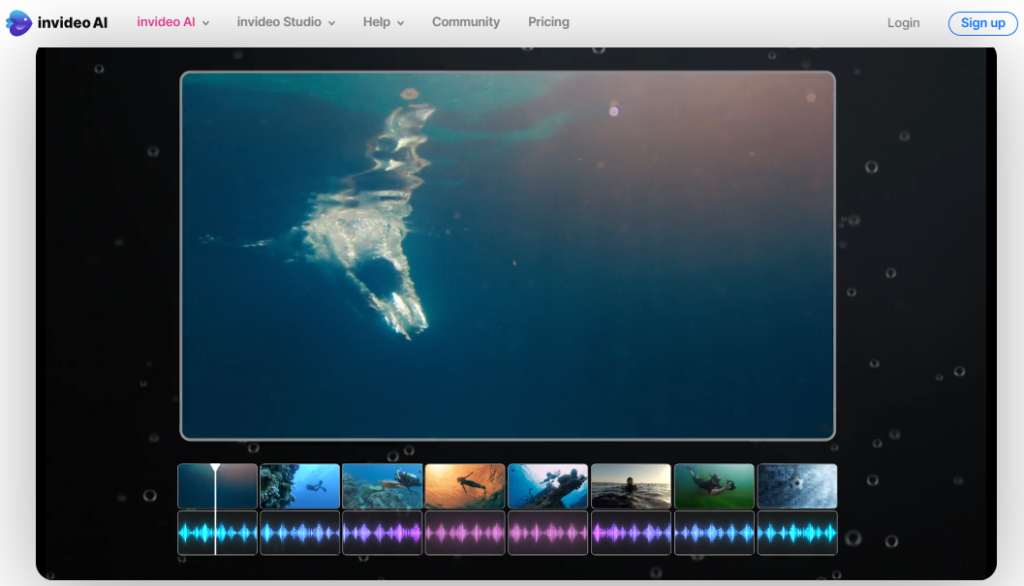
InVideo AI is a cutting-edge video creation platform designed to make professional video editing accessible to everyone. With over 5,000 unique templates, a vast library of premium media, and a wide range of customizable features, InVideo AI offers an intuitive drag-and-drop editor. Its flexible timeline and easy-to-use tools allow users to create stunning videos directly in their browsers. With 24/7 live support and a strong community, InVideo AI is dedicated to helping creators, publishers, and brands produce engaging video content quickly and effortlessly.
Who Owns InVideo AI?
InVideo AI is co-founded by Sanket Shah, Harsh Vakharia, and Pankit Chheda. Sanket Shah also serves as the CEO of the company. InVideo operates as a Software as a Service (SaaS) platform, providing video creation solutions. The company has received significant funding from investors such as Sequoia Capital India, Surge, Blume Ventures, and others. The platform aims to simplify the video creation process for a broad audience, ranging from individuals to businesses, making it accessible to users without professional video editing skills.
InVideo AI Pricing:
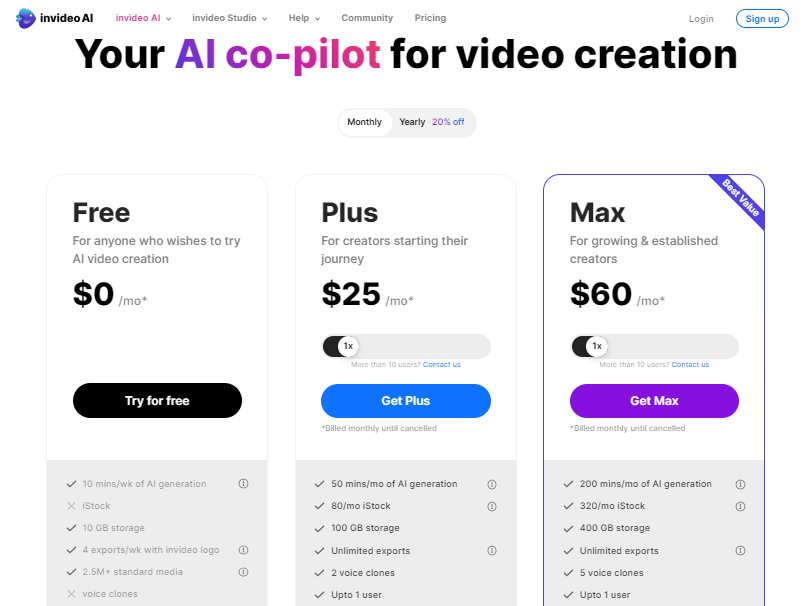
| Free For anyone who wishes to try AI video creation | Plus For creators starting their journey | Max For growing & established creators |
|---|---|---|
| $0 /mo* | $25 /mo* | $60 /mo* |
| 10 mins/wk of AI generation | 50 mins/mo of AI generation | 200 mins/mo of AI generation |
| 10 GB storage | 80/mo iStock | 320/mo iStock |
| 4 exports/wk with Invideo logo | 100 GB storage | 400 GB storage |
| 2.5M+ standard media | Unlimited exports | Unlimited exports |
| 2 voice clones | 5 voice clones | |
| Upto 1 user | Upto 1 user |
InVideo AI: Transforming Video Creation with Smart Tools
1. YouTube Video Editor

The YouTube Video Editor in InVideo AI is a powerful tool that makes it easy for users to create and edit videos for their channels. With a user-friendly interface, this feature allows users to trim, cut, and merge clips seamlessly. It also offers a variety of transitions, effects, and filters to enhance the visual appeal of the videos. The YouTube Video Editor makes editing accessible to all users, regardless of expertise level, by streamlining the process. Additionally, it includes tools for adding text, music, and voiceovers, enabling creators to add a personal touch to their videos.
2. Slideshow Maker

The Slideshow Maker feature in InVideo AI is perfect for creating visually stunning slideshows. Whether you want to showcase a collection of photos, present a business proposal, or create a memorable video for a special occasion, this tool offers a simple and effective solution. Users can easily upload their photos, choose from a variety of templates, and add transitions, music, and text to create a professional-quality slideshow. The drag-and-drop functionality makes it easy to arrange photos and customize the presentation to suit your style.
3. AI Talking Avatar

InVideo AI’s AI Talking Avatar feature brings a unique twist to video content creation. This tool allows users to create lifelike avatars that can speak naturally and expressively. The AI Talking Avatar can be used in various scenarios, such as virtual presentations, tutorials, or promotional videos. Users can choose from a wide range of avatar styles and customize the appearance to match their brand or personality. The AI technology behind this feature ensures that the avatar’s lip movements sync perfectly with the spoken words, providing a realistic and engaging experience for viewers.
4. AI Script Generator

Creating engaging and coherent scripts can be a challenge, but InVideo AI’s AI Script Generator simplifies this process. This feature uses advanced AI algorithms to generate scripts based on the user’s input and desired tone. The AI Script Generator can swiftly generate excellent material for any kind of video, be it an instructional, a product explainer film, or a promotional message. Users can customize the generated script to fit their specific needs, making it a valuable tool for content creators who need to produce videos quickly and efficiently.
5. AI Text to Video

The AI text-to-video feature is a game-changer for transforming written content into engaging videos. With this tool, users can convert articles, blog posts, or any text-based content into visually appealing videos. The AI analyzes the text and automatically suggests relevant images, video clips, and music to create a cohesive video presentation. This feature is especially useful for bloggers, marketers, and educators who want to repurpose their written content into video format. The ability to quickly create videos from text helps users reach a wider audience and increase engagement.
6. AI Video Editor

InVideo AI’s AI Video Editor offers advanced editing capabilities that make video creation effortless. This feature uses AI-powered tools to assist users in editing videos with precision and creativity. It includes smart tools for color correction, background removal, and audio enhancement. The AI Video Editor also provides suggestions for transitions, effects, and music, helping users create polished videos without extensive editing knowledge. The intuitive interface and powerful editing features make it easy for users to produce professional-quality videos that captivate their audience.
7. AI Video Generator

The AI Video Generator is a versatile feature that allows users to create videos from scratch using AI technology. Users can input a brief description or a set of keywords, and the AI Video Generator will automatically generate a video with relevant visuals, text, and music. This feature is perfect for users who need to create videos quickly but lack the time or resources to produce them manually. The AI Video Generator ensures that the content is visually engaging and aligned with the user’s objectives, making it an invaluable tool for marketers, content creators, and businesses.
8. AI Faceless Video Generator

For users who prefer to create videos without showing their faces, the AI Faceless Video Generator is an ideal solution. This feature allows users to produce videos using animated characters, avatars, or abstract visuals. It’s perfect for educational content, product demonstrations, or storytelling videos where the focus is on the message rather than the presenter. The AI Faceless Video Generator offers a range of customization options, allowing users to select different styles and characters to suit their brand or content theme. This feature provides a creative and engaging way to deliver information without the need for an on-camera presence.
9. AI Voice Generator

InVideo AI’s AI Voice Generator is a powerful tool that converts text into realistic voiceovers. Users can choose from a variety of voice styles and accents to match their video’s tone and target audience. The AI Voice Generator produces high-quality, natural-sounding speech, making it ideal for narration, tutorials, and promotional videos.
InVideo Templates:

InVideo offers a variety of templates to suit different purposes and industries. These templates are designed to make video creation simple, even for those without prior experience. The following are some of the key categories of templates available on InVideo:
Business Video Templates
Business video templates are ideal for companies looking to create professional videos for internal communications, marketing, or presentations. These templates come with clean and sleek designs that reflect a corporate feel. You can use them to introduce new products, showcase company achievements, or communicate important updates to employees. The layouts are structured to highlight key information clearly, making it easy to convey your message effectively. With customizable elements, you can tailor the videos to align with your brand’s identity, including logo placement and color schemes.
YouTube Video Templates
For content creators on YouTube, InVideo offers a rich collection of YouTube video templates. These templates are designed to help you create engaging videos that capture viewers’ attention. These themes offer a solid basis for creating vlogs, reviews, tutorials, and entertainment content. They come with pre-designed graphics, animations, and transitions that add a professional touch to your videos. You can also find templates tailored to specific YouTube niches, allowing you to find the perfect fit for your channel’s style and audience.
Slideshow Templates
Slideshow templates are perfect for creating dynamic presentations and photo slideshows. These templates are useful for personal and professional purposes. For instance, you can use them to create a memorable recap of a family vacation, a wedding, or a company event. The templates offer smooth transitions and creative layouts that turn your photos and videos into captivating visual stories. With options for adding text and music, you can personalize your slideshows and make them more engaging. These templates are easy to use, ensuring that your final product looks polished without requiring extensive editing skills.
Outro Video Templates
An outro is a crucial part of any video, providing a final touch that leaves a lasting impression. InVideo’s outro video templates are designed to help you create compelling endings for your videos. These templates often include space for social media handles, calls to action, and subscription prompts. They are perfect for encouraging viewers to take the next step, whether it’s subscribing to your channel, visiting your website, or following you on social media. With various styles to choose from, you can find an outro template that matches the tone and theme of your video.
Intro Video Templates
First impressions matter, and intro videos are the first thing viewers see. InVideo’s intro video templates are crafted to make a strong impact right from the start. These templates feature eye-catching animations, bold text, and vibrant graphics that set the tone for the rest of the video. They are ideal for branding your content, and giving your videos a consistent and recognizable look. These intro templates offer a polished and professional start, perfect for introducing a new series, a brand, or a warm welcome to your channel.
Advertisement Video Templates
In the world of digital marketing, advertisements play a crucial role in reaching potential customers. InVideo’s advertisement video templates are designed to help you create compelling ads that stand out. These templates come with attention-grabbing visuals and concise messaging that effectively communicate your product or service’s benefits. They are suitable for various platforms, including social media, websites, and email campaigns. The templates are easy to customize, allowing you to tailor the content to your target audience and campaign goals. With InVideo, you can create high-quality ads that drive engagement and conversions.
Real Estate Video Templates
Real estate agents and property developers can benefit greatly from InVideo’s real estate video templates. These templates are designed to showcase properties in the best possible light, highlighting key features and amenities. They include space for property details, price, and contact information, making it easy for potential buyers to get the information they need. The templates feature smooth pans, zooms, and transitions that create a virtual tour experience. These templates let you make visually beautiful educational videos promoting residential, commercial, or rental properties.
Social Media Video Templates
Social media is a powerful tool for connecting with audiences, and video content is a key part of that engagement. InVideo’s social media video templates are designed to create short, shareable videos for platforms like Instagram, Facebook, and Twitter. These templates come with trendy graphics, animations, and music that resonate with social media users. They are perfect for promoting events, products, or announcements in a fun and engaging way. With easy-to-use customization options, you can adjust the templates to suit the specific dimensions and requirements of different social media platforms.
InVideo Studio:
InVideo Studio offers the tools and features to make it happen. Let’s explore the key aspects of this versatile platform and how it can help you bring your video projects to life.
1. Online Video Editor

InVideo Studio is a robust online video editor designed for users of all skill levels. Its intuitive interface allows you to easily drag and drop elements, trim clips, add transitions, and apply filters. The editor supports various video formats and resolutions, ensuring that your videos look sharp and professional. With InVideo Studio, you can edit short clips and long videos with the freedom and resources you need to produce high-quality content.
2. Instagram Reels Maker

With the rise of short-form content, Instagram Reels have become a popular way to engage audiences. InVideo Studio makes it simple to create captivating Reels with its dedicated tools. You can easily add text, stickers, and music to your clips, making them more engaging and fun. The platform also offers a wide range of templates specifically designed for Reels, helping you save time while ensuring your content stands out.
3. Clipmaker

Sometimes, you only need to focus on a short segment of a video. InVideo Studio’s Clipmaker feature allows you to easily cut and edit specific clips from longer videos. This tool is perfect for creating highlights, teasers, or promotional snippets. You can also add effects, adjust the speed, and overlay text to enhance your clips. The Clipmaker is straightforward to use, making it ideal for quick edits and content creation.
4. Intro Maker

First impressions are crucial, and InVideo Studio’s Intro Maker helps you create memorable video intros. With a wide selection of templates and customizable options, you can craft an intro that perfectly matches your brand or content theme. Add your logo, adjust colors, and include animations to make your intro stand out. A well-crafted intro sets the tone for your video and keeps viewers engaged from the start.
5. Outro Maker

Just as a strong intro sets the stage, a well-designed outro leaves a lasting impression. InVideo Studio’s Outro Maker allows you to create polished endings for your videos. You can include call-to-action buttons, social media handles, and subscribe prompts to encourage viewer interaction. The outro templates are fully customizable, enabling you to create a consistent brand image across all your videos.
6. Birthday Video Maker

Celebrate special moments with personalized birthday videos. InVideo Studio’s Birthday Video Maker provides a range of templates and effects to create heartfelt and joyful videos. You can add photos, music, and personalized messages to make the birthday celebrant feel special. The platform’s easy-to-use interface allows you to quickly put together a touching video that captures the essence of the celebration.
7. Instagram Video Editor

Creating content for Instagram requires a unique approach, and InVideo Studio’s Instagram Video Editor is designed with this in mind. The editor offers tools to optimize your videos for Instagram’s formats, including Stories, posts, and IGTV. You can crop videos, add filters, and use text overlays to make your content visually appealing. The platform also provides a library of trendy music tracks and sound effects, helping you set the right mood for your videos.
8. Invitation Maker

Creating digital invitations has never been easier with InVideo Studio’s Invitation Maker. Create stunning video invitations with this function, regardless of whether you’re organizing a corporate, wedding, or party. Choose from a variety of templates and customize them with your event details. You can add photos, animations, and music to make your invitations unique and engaging. Send your invites via social media or email, and impress your guests with your creativity.
InVideo Quick Tools:
InVideo offers a range of tools, including Rotate Video, Trim Video, Cut Video, Video Compressor, Video Converter, and Screen Recorder. These tools are perfect for beginners and professionals alike, providing an easy way to edit videos with precision and creativity. Let’s explore each of these tools and how they can enhance your video projects.
Rotate Video
The Rotate Video tool is perfect for adjusting the orientation of your video clips. Whether you’ve captured footage in the wrong direction or want to add a creative spin, this feature allows you to rotate your video in 90-degree increments. This tool is intuitive and user-friendly, making it easy to correct the alignment of your videos. Simply upload your clip, select the rotation angle, and apply the changes. It’s a quick fix that can make your videos look more professional and polished.
Trim Video
Trimming videos is an essential part of the editing process, and InVideo’s Trim Video tool makes it straightforward. This feature allows you to cut out unwanted parts from the beginning, middle, or end of your video. By setting start and end points, you can easily focus on the most important segments of your footage. Trimming helps in refining the content and keeping your videos concise and engaging. It’s a great way to remove mistakes or irrelevant sections, ensuring your audience sees only the best parts.
Cut Video
The Cut Video tool is a step beyond trimming, offering more precise control over your video edits. With this tool, you can slice your video into smaller segments, rearrange them, or even remove specific parts. This feature is useful for creating highlight reels, tutorials, or any project where you need to piece together different parts of a video. It allows for detailed editing, making it easy to craft a coherent story from multiple clips. Cutting videos is a breeze with InVideo, thanks to its intuitive interface and responsive controls.
Video Compressor
Large video files can be a hassle to share or upload, but the Video Compressor tool makes this problem a thing of the past. This tool reduces the file size of your videos without compromising quality. By adjusting the compression settings, you can find the perfect balance between file size and visual fidelity. This is especially useful for sharing videos on social media, where upload limits can be restrictive. With InVideo’s compressor, you can quickly prepare your videos for any platform, ensuring they load quickly and play smoothly.
Video Converter
The Video Converter tool is another essential feature in the InVideo Quick Tools suite. It allows you to change your video files into different formats, making them compatible with various devices and platforms. This program includes everything you need to convert a video for a certain software, device, or social media platform. It supports a wide range of formats, including MP4, AVI, MOV, and more. Converting videos is as simple as selecting your desired format and letting InVideo handle the rest. This flexibility ensures that your videos are always ready for viewing, no matter the audience or platform.
Screen Recorder
Capturing your screen has never been easier with the Screen Recorder tool. This feature is perfect for creating tutorials, presentations, or gameplay videos. It allows you to record everything happening on your screen, along with audio from your microphone. You can choose to record the entire screen or just a specific area, giving you control over what gets captured. The screen recorder is user-friendly, making it simple to start and stop recordings. It also offers options to edit your recordings directly within InVideo, so you can polish your content before sharing it.
How Does InVideo AI Work?
InVideo AI is a powerful video creation platform that leverages artificial intelligence to simplify and simplify the process of producing high-quality videos. Here’s a breakdown of how it works:
1. Template-Based Creation
InVideo AI offers a wide range of customizable templates for various video types, including social media posts, promotional videos, slideshows, and more. Users can start by selecting a template that fits their needs, which serves as the foundation for the video.
2. AI-Powered Text-to-Video
One of InVideo’s standout features is its AI-powered text-to-video functionality. Users can input a script or text, and the AI automatically suggests relevant scenes, images, and video clips from its extensive media library. The AI also provides suggestions for text styling and animations, helping users create visually engaging content without extensive editing skills.
3. Media Library Integration
InVideo AI integrates with a vast media library, including stock photos, videos, and music. The AI can automatically select the most suitable media assets based on the content of the script or text. Users can also search for specific assets within the platform and incorporate them into their videos.
4. Voiceover and Music
The platform supports adding voiceovers and background music. Users can record their own voiceovers directly within InVideo or upload pre-recorded audio files. InVideo also offers AI-generated voiceovers with various voice options and languages. The AI can match the mood and pacing of the video with appropriate background music from its library.
5. AI Editing and Customization
InVideo AI provides various editing tools, including trimming, cropping, and adding effects. The AI can assist in making adjustments to video duration, transitions, and visual effects to ensure a smooth and professional output. Users can also customize text, fonts, colors, and animations to match their branding.
6. Auto-Suggestions and Enhancements
The AI engine offers auto-suggestions for enhancing videos, such as adding captions, text overlays, and animations. It can also suggest improvements based on the type of video being created, optimizing it for different platforms and audiences.
7. Collaboration and Review
InVideo supports collaboration, allowing multiple users to work on a project simultaneously. The platform offers features for leaving comments and feedback, making it easier to review and refine the video before finalizing it.
8. Export and Sharing
Once the video is complete, InVideo allows users to export it in various formats and resolutions suitable for different platforms, such as social media, websites, or presentations. The platform also offers direct sharing options to social media channels.
Use Cases
InVideo AI is suitable for businesses, marketers, content creators, and educators looking to create promotional videos, explainer videos, social media content, and more. Its AI-driven features significantly reduce the time and effort required to produce professional-quality videos, making it accessible to users of all skill levels.
Customer Reviews About InVideo AI


Top 10 InVideo AI Alternatives Free:
InVideo AI is a popular tool for creating and editing videos, but several alternatives offer unique features and benefits. Here are ten of the top alternatives to InVideo AI, along with descriptions of what they offer.
1. Adobe Premiere Pro

Adobe Premiere Pro is a leading video editing software used by professionals. It provides powerful editing tools, allowing users to create high-quality videos. The software supports multiple formats and offers a range of creative effects. It also integrates seamlessly with other Adobe products, making it ideal for users who need a complete editing solution.
2. Final Cut Pro

Final Cut Pro is a robust video editing tool designed for Mac users. It offers advanced editing features like multi-cam editing and 360-degree video support. The software is known for its fast performance and intuitive interface. It’s perfect for professionals who need a reliable and efficient editing solution.
3. Camtasia

Camtasia is a user-friendly video editing software, ideal for creating tutorials and educational content. It allows users to record their screens, add effects, and edit videos easily. The software includes a library of royalty-free assets, making it easy to enhance your videos. It’s a great choice for educators and content creators looking for a straightforward tool.
4. Filmora
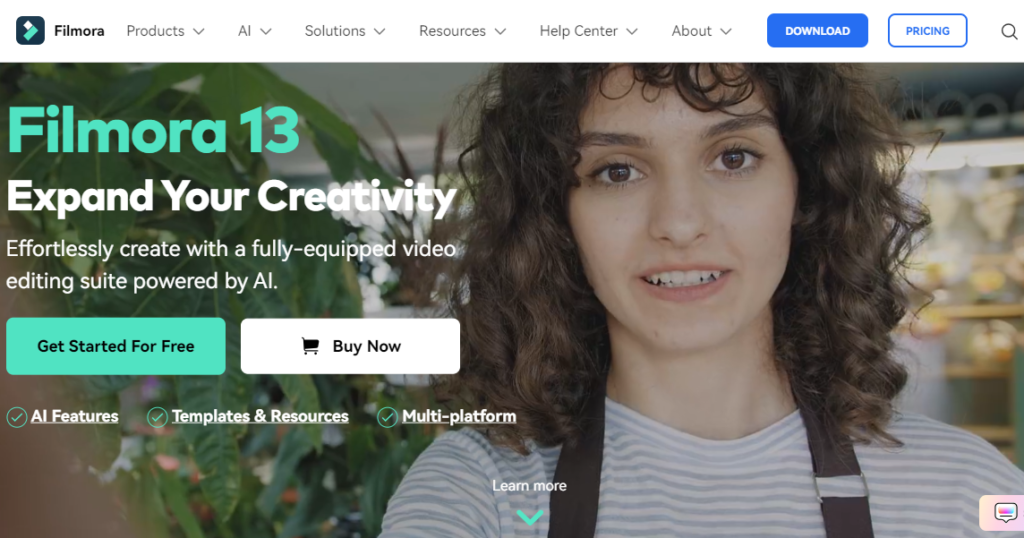
Filmora is a popular video editing software known for its simplicity and versatility. It offers a wide range of effects, transitions, and filters. The drag-and-drop interface makes it easy for beginners to use. Filmora also includes an extensive library of music and sound effects, allowing users to create engaging videos with minimal effort.
5. DaVinci Resolve

DaVinci Resolve is a professional-grade video editing and color correction software. It offers a set of features, including 8K editing, visual effects, and audio post-production. The software’s advanced color grading tools are particularly noteworthy, making it a favorite among filmmakers and colorists. Despite its powerful features, DaVinci Resolve offers a free version with many capabilities.
6. Lumen5
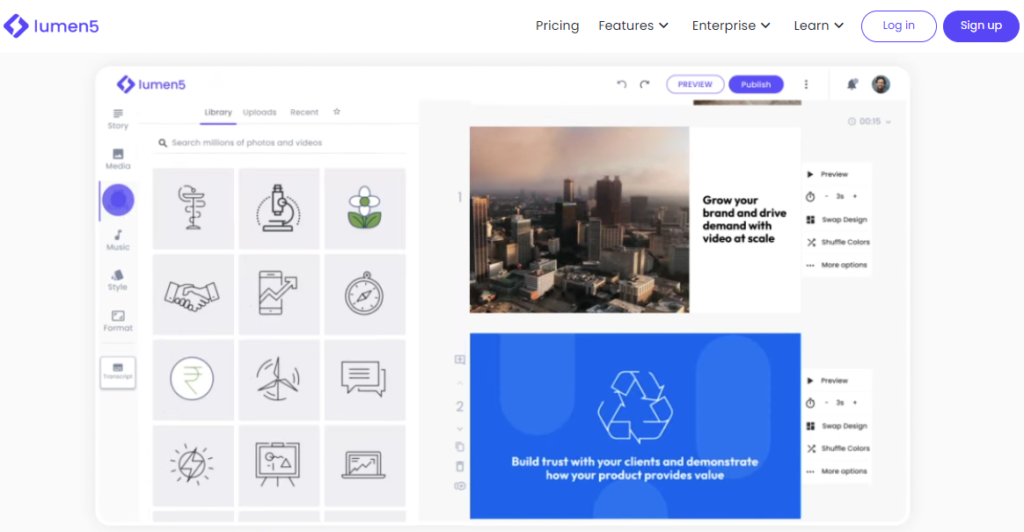
Lumen5 is an AI-powered video creation platform designed for marketers. It helps users turn blog posts and articles into engaging videos. The software uses AI to match content with relevant images and video clips. It also offers a wide range of templates and customization options. Lumen5 is perfect for businesses looking to enhance their content marketing strategy with video.
7. Animoto
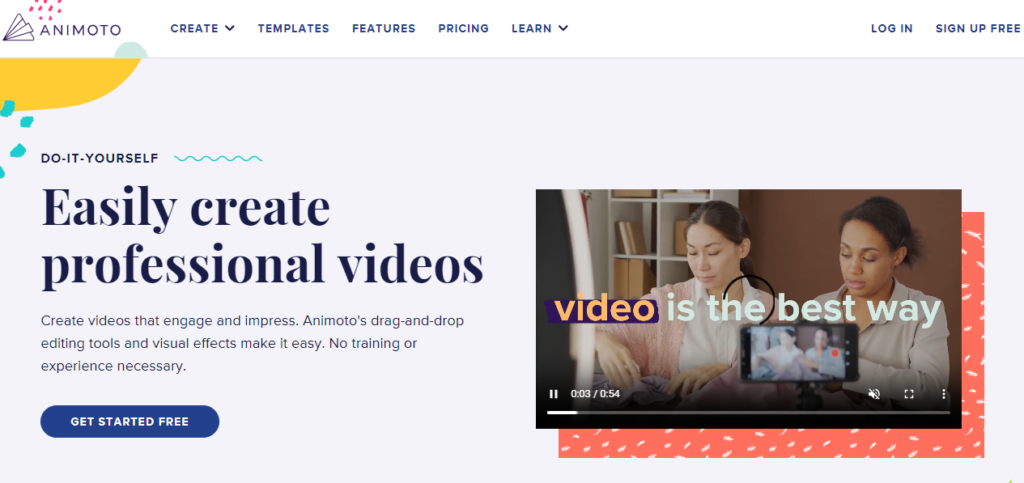
Animoto is a cloud-based video creation tool that makes it easy to create professional videos. It offers a variety of templates and styles to choose from. The software allows users to add photos, video clips, and music to their projects. Animoto’s drag-and-drop interface is simple to use, making it a great choice for small businesses and social media marketers.
8. KineMaster

KineMaster is a versatile video editing app available on iOS and Android. It offers a range of editing tools, including multi-layer video editing, blending modes, and voiceovers. The app also includes a library of assets like music and sound effects. KineMaster is ideal for users who want to edit videos on the go.
9. Pictory AI
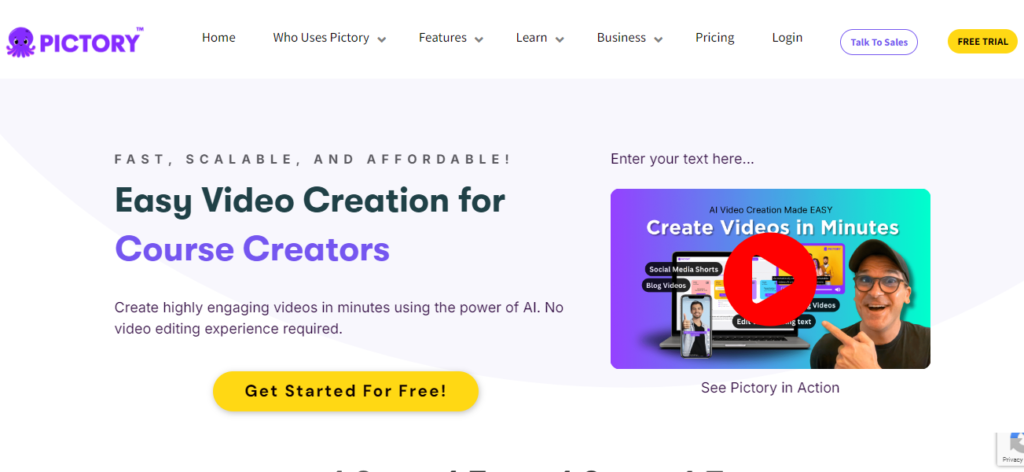
Pictory is an AI-driven video creation tool that helps users transform text into engaging videos. It’s perfect for creating explainer videos, product demos, and more. Pictory offers a variety of templates and customization options, making it easy to produce professional-looking videos quickly. The platform’s AI capabilities help streamline the video creation process, saving users time and effort.
10. WeVideo
WeVideo is a cloud-based video editing platform suitable for all skill levels. It offers a user-friendly interface and a wide range of editing features. Users can create videos using a mix of video clips, photos, and audio tracks. WeVideo also offers cloud storage, making it easy to access and edit projects from any device. It’s a great option for educators, students, and businesses looking for a flexible editing tool.
InVideo Ai Vs. Fliki Ai
A comparison table for InVideo AI vs. Fliki AI:
| Feature | InVideo | Fliki |
|---|---|---|
| Primary Function | Video creation and editing | Text-to-video and text-to-speech AI |
| Platform | Web-based | Web-based |
| Templates | Extensive library of customizable templates | Various templates for different content types |
| Text-to-Speech | Limited to certain video types | Wide range of natural-sounding voices |
| Text-to-Video | Yes, with automatic scene generation | Yes, with customizable scenes |
| Voiceover Options | Multiple voiceover options are available | AI voiceover with multiple languages |
| Language Support | Multiple languages | Over 60 languages and dialects |
| AI Features | Automated video creation, script suggestions | AI-powered text-to-video, scriptwriting |
| Stock Media | Access to premium stock photos, videos, music | Extensive stock media library |
| Customization | Advanced editing features, transitions, effects | Customizable scenes, text, and voiceover |
| Output Quality | HD, Full HD, 4K | HD and Full HD |
| Integrations | Integrations with social media platforms | Limited integrations |
| Ease of Use | User-friendly interface | Intuitive and easy to use |
| Pricing | Various pricing plans; Free trial available | Various pricing plans; Free trial available |
| Support | 24/7 support via chat and email | Email and chat support |
| Use Cases | Marketing videos, social media content, presentations | Educational content, marketing, personal projects |
| Unique Features | Rich media library, team collaboration, branding tools | AI-generated voiceovers, multilingual support |
| Community & Resources | Active community, tutorials, and webinars | Growing community, tutorials, and resources |
Key Differences Between InVideo AI and Fliki AI
InVideo AI and Fliki AI are powerful tools for video creation, but they serve different needs and have unique features.
- User Interface and Ease of Use InVideo AI boasts a user-friendly interface that simplifies video creation for beginners. Its drag-and-drop functionality allows users to build videos quickly. Fliki AI, on the other hand, is designed for efficiency, focusing on speed and automation. It uses AI to convert text into videos swiftly, making it ideal for users who need fast content production.
- Templates and Customization InVideo AI offers an extensive library of templates catering to various industries and styles. Users can customize these templates extensively to fit their brand. Fliki AI provides templates too, but its customization options are more limited. It’s geared towards quick, straightforward video creation with less emphasis on detailed personalization.
- Features and Capabilities InVideo AI includes advanced editing tools such as timeline editing, transitions, and special effects. This makes it suitable for more complex video projects. Fliki AI focuses on simplicity and speed, converting text to video with automated voiceovers and animations. It’s excellent for creating explainer videos, presentations, and social media content without needing deep editing skills.
- Voiceover and Text-to-Speech Fliki AI shines in its text-to-speech capabilities. It offers high-quality AI-generated voiceovers in multiple languages and accents. InVideo AI also supports voiceovers, but it doesn’t specialize in AI-generated speech as Fliki does. This makes Fliki a better choice if voiceovers are a key part of your videos.
InVideo Ai Vs. Synthesis
A comparison table for InVideo AI and Synthesia:
| Feature | InVideo | Synthesis |
|---|---|---|
| Primary Function | Video creation and editing | AI-driven video creation with avatars |
| Key Features | – Templates for various industries | – AI-generated avatars |
| – Text-to-video capabilities | – Multi-language support | |
| – Media library (images, videos, music) | – Script customization | |
| – Customizable templates | – Voice cloning | |
| – Voiceovers | – Realistic avatars | |
| – Team collaboration tools | – Video templates | |
| – Multi-language text support | – Integration with tools like PowerPoint | |
| Customization | Extensive template and text customization | Avatar and script customization |
| User Interface | User-friendly, drag-and-drop editor | Intuitive interface |
| Output Quality | High-quality videos with varied styles | High-quality videos with realistic avatars |
| Usage | Ideal for marketing, social media, and ads | Ideal for corporate training, tutorials |
| AI Capabilities | AI suggestions for video creation | AI-driven avatar generation and voice |
| Collaboration Features | Team collaboration shared workspaces | Limited collaboration features |
| Pricing | Subscription-based, tiered pricing | Subscription-based, tiered pricing |
| Integrations | Integration with popular media sources | Integration with enterprise tools |
| Customer Support | Email, chat support, extensive resources | Email, chat support, dedicated account managers |
| Target Audience | Content creators, marketers, small businesses | Enterprises, educational institutions |
| Platform Availability | Web-based | Web-based |
| Unique Selling Point | Versatile templates, rich media library | Realistic AI-generated avatars |
Key Differences Between InVideo AI and Synthesis
1. User Interface and Experience: InVideo AI has a user-friendly interface that makes video editing straightforward, even for beginners. It offers drag-and-drop functionality, making it easy to create videos quickly. Synthesis, on the other hand, also has a simple interface but focuses more on integrating voice synthesis technology seamlessly. Its interface is designed to help users generate realistic voiceovers effortlessly.
2. Video Editing Features: InVideo AI shines with its extensive video editing tools. It provides a wide range of templates, text animations, and special effects that cater to various content needs. Synthesis focuses more on its core strength, which is producing high-quality, AI-driven voiceovers. It does offer basic video editing features, but they are not as extensive as InVideo AI’s offerings.
3. Voice Synthesis Capabilities: Synthesis excels in voice synthesis, offering natural-sounding voiceovers that can be customized for different accents and tones. It uses advanced AI to make the voices sound as human as possible. InVideo AI also includes text-to-speech functionality, but it is not as advanced or versatile as Synthesis’s capabilities.
4. Template Variety: InVideo AI provides a large library of templates for various types of videos, including promotional videos, social media content, and presentations. This variety allows users to find templates that suit their specific needs. Synthesis, while it does offer templates, focuses less on variety and more on integrating voiceover features within the templates.
5. Target Audience: InVideo AI targets users who need video editing tools, from beginners to professionals, including marketers and social media managers. Synthesis targets users who prioritize high-quality voiceovers, such as podcasters, video creators, and educators who need realistic narration in their content.
6. Pricing Models: InVideo AI offers different pricing tiers, including a free plan with limited features and paid plans with more advanced options. Synthesis typically offers subscription-based pricing, focusing on access to premium voice synthesis features. Both tools provide competitive pricing, but their value depends on the user’s specific needs.
7. Customization Options: InVideo AI allows extensive customization of video elements, from fonts and colors to animations and transitions. Synthesis allows customization of voiceovers, including pitch, speed, and accent adjustments, to create the desired vocal output.
Final Talks about InVideo AI Review
InVideo stands out as a top choice for online video editing. Its user-friendly interface, extensive template library, and robust media assets make it a versatile tool for content creators of all levels.
While the AI features might not match the advanced capabilities of platforms like Runway ML, they are sufficient for basic needs. The platform excels in ease of use, requiring no prior editing experience, and offers flexibility with desktop and mobile apps.
With fast customer service, helpful learning resources, and an ambitious roadmap, InVideo is designed to meet the needs of non-professional editors looking to create polished videos quickly and easily.
Overall, the InVideo review provides a comprehensive solution for those seeking efficient and effective video editing.
FAQs about InVideo AI Review
Here are six (6) frequently asked questions about InVideo Review.
InVideo AI offers free and paid plans. The free version includes basic features and limited access to templates. You can use it without cost, but upgrading to a paid plan unlocks more advanced features and premium templates. This allows you to create more professional and customized videos.
InVideo AI is safe to use. The platform prioritizes user security, employing strong encryption and data protection measures. Users can create and edit videos confidently, knowing their information is secure. InVideo AI regularly updates its security protocols to protect against new threats, ensuring a safe experience for all users.
InVideo AI is worth the investment if you want an easy-to-use tool for creating professional videos quickly. It offers a variety of templates, features, and AI-powered editing options that save time and effort. With its affordable pricing and high-quality output, it provides great value for beginners and experienced creators looking to enhance their content.
InVideo AI can be trusted for video creation, offering reliable and secure services. It provides user-friendly tools and a supportive community, making it easy to create professional videos. The platform has a good reputation, and many users find it helpful for their video editing needs. Overall, it’s a dependable choice for quality video content.
InVideo is a real and legitimate video creation platform. It offers a range of tools for editing and creating videos, making it easy for users to produce high-quality content. With a variety of templates and customization options, InVideo is a popular choice for individuals and businesses looking to create engaging videos.
As of my last update, InVideo offers a range of video creation and editing tools, including text-to-speech (TTS) capabilities for generating voiceovers. However, the availability of free voiceover generation features may vary depending on the plan you choose. InVideo typically offers a free plan with limited features and usage. While you can use some TTS features on the free plan, there may be limitations in terms of voice selection, usage volume, or audio quality. To access a wider range of voices, higher quality, or additional features, you might need to upgrade to a paid plan.